

AI platforms are already sending visitors to websites, but measuring that traffic is not as simple as opening GA4 and looking for a single “AI Search” number.
Google Analytics now has a native AI Assistant channel, which makes identifiable visits from platforms such as ChatGPT easier to find. But that number still represents only part of your AI search visibility.
Some AI-driven visits lose their referral information. Google AI Overviews and AI Mode remain part of Organic Search. And if someone sees your brand in an AI answer but never clicks the link, GA4 sees nothing at all.
So the goal is not to create one perfect AI traffic metric; it is to understand which part of the AI discovery journey each report can actually measure.
Where Does AI Traffic Appear in GA4?
Since May 2026, GA4 has included an AI Assistant channel in its Default Channel Group.
Start here:
- Open Reports
- Go to Acquisition
- Open Traffic acquisition
- Look for AI Assistant
This channel captures visits where GA4 recognizes the referring AI assistant. To see the individual platforms behind that traffic, change the primary dimension to Session source / medium.
You may then see sources connected with platforms such as ChatGPT, Gemini, Copilot or other AI assistants. This is the fastest way to establish a baseline.
How Do You See ChatGPT, Perplexity and Other AI Sources Separately?
The AI Assistant total is useful, but marketers usually need more detail. Change the Traffic acquisition dimension to Session source or Session source / medium and look for identifiable AI domains.
Common sources can include:
- chatgpt.com
- chat.openai.com
- perplexity.ai
- claude.ai
- gemini.google.com
- copilot.microsoft.com
- grok.com
- deepseek.com
- you.com
The exact list changes over time, so do not treat a static list as permanent.
Review your referral sources periodically and update your reporting rules when new AI platforms begin sending traffic.
Do You Still Need a Custom AI Channel?
Not always. If the native AI Assistant channel gives you enough visibility for monthly reporting, start there.
A custom channel becomes useful when you want to:
- include AI sources that the default classification does not separate the way you want
- group several AI engines under your own definition
- apply your own rules to historical reporting
- compare AI traffic consistently across reports
In GA4, go to: 1. Admin 2. Data display 3. Channel groups
Create a custom channel group and add a channel such as:
AI Referrals
Then define it using Session source rules for the AI domains you want to include.
A practical starting regex might be:
chatgpt\.com|chat\.openai\.com|perplexity\.ai|claude\.ai|gemini\.google\.com|copilot\.microsoft\.com|grok\.com|deepseek\.com|you\.com
Treat this as a starting point, not a permanent industry standard. The important part is documenting what your report includes.
Which Landing Pages Should You Compare?
Traffic volume alone does not tell you whether AI search is useful. The next question should be: Where are AI visitors actually entering the site?
Build an Exploration or report using dimensions such as:
- Session source
- Landing page
- Session default channel group
Then compare metrics such as:
- sessions
- engaged sessions
- engagement rate
- key events
- leads
- purchases
- revenue
This helps distinguish a useful AI visit from a vanity metric.
For example, 50 AI sessions arriving on a high-intent service page may matter more than 500 visits to an informational article that produce no meaningful action.
A Practical Example
Imagine an ecommerce brand receives 120 identifiable AI Assistant sessions in one month. At first, that number does not tell the team much. When they break the traffic down by landing page, they find:
- 55 sessions entered through buying guides
- 35 entered through product pages
- 20 entered through educational blog posts
- 10 entered elsewhere
Product-page visitors produced six purchases, while the informational visitors produced no immediate conversions.
That does not prove AI search generated every purchase, but it gives the team a much better question to investigate:
Why are AI platforms sending qualified users directly to these specific products?
The next step could be to review which products are being cited or recommended and whether those pages share useful characteristics.
This is where you can run an AI visibility audit before reporting results rather than trying to infer everything from analytics data alone.
What GA4 Cannot Tell You About AI Search
GA4 measures visits.
It does not measure the entire AI discovery process.
It Cannot Show Every Brand Mention
If ChatGPT recommends your company but the user never clicks through, there is no GA4 session.
The brand may have gained visibility without creating measurable referral traffic.
It Cannot Tell You the Prompt
GA4 may show that a visitor came from ChatGPT.
It cannot tell you whether that visitor asked: “What is the best marketing agency for beauty brands?” Or: “Who can help me improve GEO visibility?”
Those are very different discovery contexts.
It Cannot Reliably Recover Visits Without a Referrer
Some AI-driven journeys arrive without usable source information. Those visits can appear as Direct or another channel.
You should not simply assume every unexplained Direct visit came from AI. The correct interpretation is that identifiable AI traffic is often a minimum measurable number, not the full amount of AI influence.
It Cannot Measure AI Crawler Activity
GA4 is designed to measure website users.
AI crawlers reading or indexing your pages generally belong in server logs or dedicated crawler monitoring, not GA4 reports.
Crawler activity and human referral traffic are different signals.
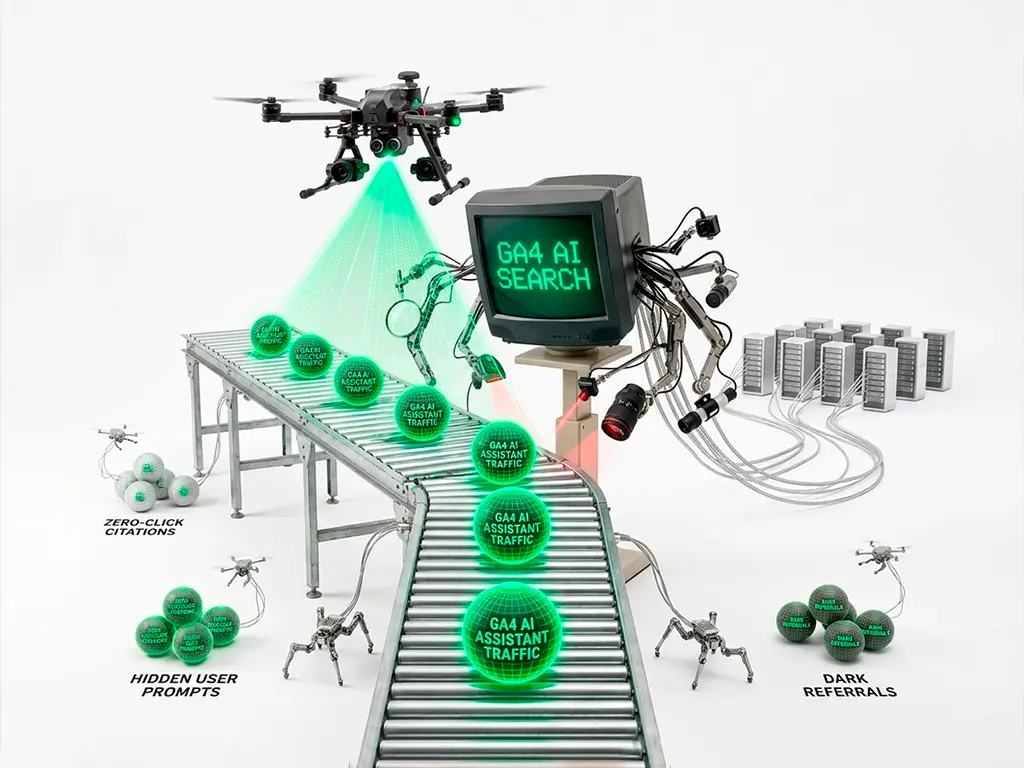
It Cannot Measure Zero-Click AI Discovery
A user can:
- ask an AI assistant for recommendations
- see your brand
- remember the name
- search for it later
- visit through Google or Direct
GA4 may record the final visit, but it cannot prove the original AI recommendation caused it. This is one reason zero-click discovery changes what marketers need to measure.
What About Google AI Overviews and AI Mode?
This is an important exception.
Traffic from Google’s own AI Overviews and AI Mode is not separated into the GA4 AI Assistant channel.
Those visits remain within Google’s organic search ecosystem. That means GA4 cannot give you a clean row showing: AI Overview traffic = X sessions
For Google’s generative search visibility, use Search Console alongside GA4.
Google’s dedicated Generative AI performance report can show impressions generated when your pages appear within supported Google generative experiences, including AI Overviews and AI Mode.
The Darl’s guide to the Google Search Console Generative AI report explains what that report measures and where its own limitations begin.
AI Traffic and AI Visibility Are Not the Same Thing
This distinction is easy to lose in dashboards.
| Signal | What It Means | Best Measurement Source |
| AI referral | Someone clicked from an identifiable AI source | GA4 |
| AI landing-page performance | What those visitors did after arriving | GA4 |
| Google AI impression | Your page appeared in AI Overview or AI Mode | Search Console |
| AI citation | An AI platform used or linked to your content | AI visibility tracking |
| Brand mention | AI mentioned your brand | Prompt monitoring |
| AI influence without click | User saw the brand but entered through another route | Difficult to attribute directly |
Trying to combine all six into one “AI traffic” number produces misleading reporting.
How to Combine GA4, Search Console and AI Visibility Tracking
A more useful reporting model uses three layers.
GA4: What Arrived?
Track:
- identifiable AI referral sessions
- landing pages
- engagement
- key events
- leads
- purchases
Search Console: Where Is Google Showing You?
Track:
- Generative AI impressions
- visible pages
- country
- device
- changes over time
Prompt Tracking: Where Is the Brand Mentioned?
Track:
- brand mentions
- product recommendations
- competitors
- citations
- answer accuracy
- important prompts where the brand is absent
These layers answer different questions.
When they move together, the picture becomes much stronger.
For example:
AI visibility audit finds more mentions → GSC shows higher generative impressions → GA4 shows more qualified referral visits.
That is a much more meaningful pattern than saying “AI traffic increased 30%.”
A Simple Monthly AI Search Report
For most marketing teams, a useful monthly dashboard does not need to be complicated.
Track:
| Metric | This Month | Previous Month | Why It Matters |
| AI Assistant sessions | — | — | Directly identifiable AI visits |
| Top AI source | — | — | Shows which platforms send traffic |
| Top AI landing pages | — | — | Shows which content attracts clicks |
| AI key events | — | — | Measures meaningful actions |
| Google generative impressions | — | — | Measures Google AI visibility |
| Priority prompt mentions | — | — | Measures visibility without requiring clicks |
| Important competitor mentions | — | — | Shows recommendation gaps |
Add a short interpretation below the numbers: What changed? What might explain it? What should we investigate next?
That last question is more valuable than simply reporting the traffic total.
Frequently Asked Questions
Does GA4 track ChatGPT traffic?
Yes. Identifiable visits from ChatGPT can appear in GA4’s AI Assistant channel or in source-level acquisition reporting.
Where do I find AI traffic in GA4?
Start with Reports → Acquisition → Traffic acquisition and look for the AI Assistant channel. Then use Session source / medium to see individual sources.
Why does some AI traffic appear as Direct?
If GA4 does not receive usable referral or campaign information, it cannot reliably identify the original AI source. Those sessions may appear as Direct.
Can GA4 show traffic from Google AI Overviews?
Not as a separate AI Assistant source. Google’s AI Overviews and AI Mode are excluded from that channel. Use Search Console’s Generative AI report to measure their visibility.
Can GA4 show which ChatGPT prompt sent a visitor?
No. GA4 can identify some referring sources, but it does not show the exact user prompt that produced the recommendation or citation.
Do I need a custom AI channel if GA4 already has AI Assistant?
Not necessarily. The native channel is the best starting point. A custom channel is useful when you want more control over which sources are included or want a consistent historical classification.
Can I measure AI citations in GA4?
No. A citation that does not produce a website visit generates no GA4 session. Citation and mention tracking requires a separate AI visibility workflow.
The Bottom Line
GA4 can now give marketers a useful view of identifiable AI referral traffic.
But it should not be mistaken for a complete measure of AI visibility. Use GA4 to understand which AI visitors reached your website, where they landed and what they did.
Use Search Console to understand Google’s generative search exposure and use prompt and citation tracking to understand where your brand appears before the click exists.
Together, those signals provide a far more useful picture of AI search performance than any single dashboard.
If you want to connect AI visibility, referral traffic and search performance into one measurement strategy, discuss AI visibility measurement with The Darl.